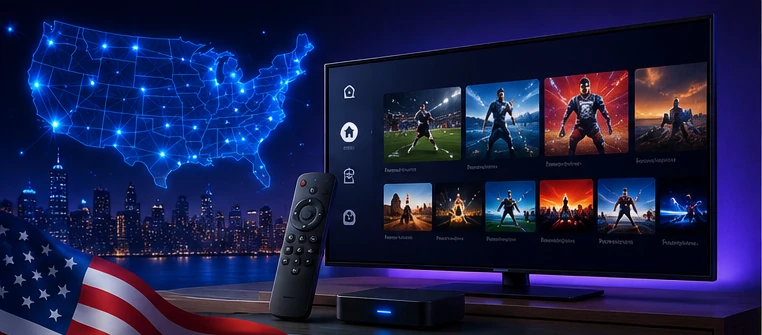
IPTV has become popular because it gives viewers more flexibility across devices. Instead of being limited to one traditional TV box, many users want to watch on a Smart TV, Firestick, Android TV box, phone, tablet, or computer.
But choosing an IPTV setup is not only about the number of channels. A good setup depends on your internet connection, device performance, app compatibility, support quality, and whether the content you want is available through your provider and subscription.
What Makes a Good IPTV Setup for USA Viewers?
The best IPTV setup for USA viewers is the one that works smoothly on your actual device and internet connection. A provider may look attractive on paper, but your experience depends on setup quality and daily stability.
1. Device Compatibility
Before choosing a plan, confirm that your device supports the IPTV app you want to use. In the USA, many viewers use Firestick, Android TV, Smart TV, Android box, iPhone, iPad, or Windows computer.
- Firestick: popular for living room streaming and easy remote navigation.
- Smart TV: convenient when the TV supports compatible IPTV apps.
- Android TV box: flexible and usually strong for app support.
- Mobile and tablet: useful for watching while traveling or away from the TV.
- Computer: can work with supported media players and IPTV apps.
2. Internet Stability
IPTV needs stable internet. Speed matters, but stability matters more. A 100 Mbps connection can still buffer if the Wi-Fi is weak, the router is overloaded, or the device is far from the signal.
For live sports and HD/4K streams, Ethernet is usually better than Wi-Fi. If you use Wi-Fi, keep the device close to the router, use a modern router, and avoid heavy downloads during live events.
3. App Quality and Ease of Use
A good IPTV app should make it easy to search, organize favorites, load EPG, switch categories, and manage live TV or VOD sections. The app does not provide content by itself; it only plays the playlist or login provided by your IPTV service.
Best Devices for IPTV in the USA
There is no single perfect device for everyone. The best choice depends on what you already own and how you like to watch.
Firestick
Firestick is one of the most common IPTV devices in the USA. It is affordable, simple to use, and works well for many living room setups. Keep storage clean, close background apps, and restart the device if the app becomes slow.
Smart TV
Smart TVs are convenient because you do not need an extra box. The downside is that some TV systems have limited app choices. Samsung, LG, Android TV, and Google TV models can behave differently, so always check app compatibility first.
Android TV Box
Android TV boxes are flexible because they support many apps and settings. They can be a good choice for users who want more control, but cheap or old boxes may cause buffering or freezing.
What USA Viewers Should Check Before Buying IPTV
Before you pay for an IPTV subscription, check these points:
- Does it work on your device?
- Does the provider offer setup help?
- Is the app easy to use?
- Does EPG work well?
- Can you organize favorites?
- Does your internet handle HD or 4K streams?
- Is support available when you need help?
- Are content rights and availability explained responsibly?
IPTV for Sports Fans in the USA
Many US viewers care about sports. IPTV can be useful for organizing sports categories and preparing devices before live events, but availability depends on provider, region, subscription, broadcaster rights, and content licensing.
Before important events, test your app early. Do not wait until match time or fight night. Check your connection, restart your device, clear cache if needed, and save the categories you use most often.
For more sports setup tips, read our guide: IPTV for Sports Fans USA.
How to Reduce IPTV Buffering
Buffering is one of the most common IPTV problems. It can happen for many reasons, so the best approach is to test step by step.
- Restart your router and device.
- Use Ethernet if possible.
- Move your device closer to the router if using Wi-Fi.
- Close background apps.
- Clear app cache.
- Free up device storage.
- Try a lower quality stream if available.
- Test at a different time to check server load.
For a full checklist, read: IPTV Buffering Fix Guide.
IPTV vs Cable TV in the USA
Traditional cable TV is usually simple because it comes with a provider box and fixed package. IPTV is more flexible because it can work across multiple supported devices, but it depends more on your internet, app, device, and provider setup.
IPTV is not automatically better for everyone. Cable may be easier for people who want a fixed, managed service. IPTV may be better for users who want flexible app-based viewing and are comfortable with device setup.
Read our comparison: IPTV vs Cable TV USA 2026.
Best IPTV USA 2026: Final Recommendation
The best IPTV setup for USA viewers is not just the cheapest plan or the biggest channel list. It is the setup that works reliably on your device, has clear support, uses a stable app, offers useful categories, and respects content availability rules.
If you are not sure where to start, choose your device first. Then check app compatibility, internet stability, support options, and whether the provider explains setup clearly.
Need IPTV Setup Help in the USA?
Message 4KSubs on WhatsApp and tell us your device. We can help with Smart TV, Firestick, Android TV, app setup, buffering checks, and general IPTV guidance.
Contact 4KSubs on WhatsAppRelated Guides
FAQ
What is the best IPTV setup for USA viewers?
The best setup depends on your device, internet stability, app support, viewing needs and support quality. Firestick, Smart TV and Android TV are common options.
Does IPTV work on Firestick in the USA?
Yes, IPTV can work on Firestick when the device supports the app and the internet connection is stable. Firestick is popular for living room streaming.
Why does IPTV buffer?
Buffering may come from weak Wi-Fi, old devices, low storage, app cache, high stream quality, internet instability or provider-side load.
Is IPTV legal in the USA?
IPTV is a technology for delivering video through the internet. Users should access only content they are allowed to watch, and availability can depend on licensing and region.