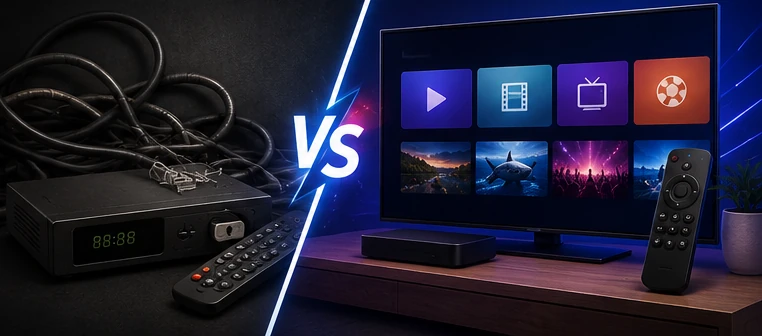
Many USA viewers compare IPTV with traditional cable TV because they want more flexibility, easier device access, and a setup that works on modern screens like Smart TV, Firestick, Android TV, mobile and tablet.
But IPTV and cable TV are not the same. Cable TV is usually a managed service with a provider box and fixed packages. IPTV delivers video through the internet using apps and compatible devices.
Quick Comparison: IPTV vs Cable TV
| Feature | IPTV | Cable TV |
|---|---|---|
| Delivery method | Internet connection and supported app | Traditional cable provider connection |
| Devices | Smart TV, Firestick, Android TV, mobile, tablet, computer | Usually TV box and provider-supported devices |
| Setup | App-based setup with login or playlist | Provider equipment and fixed installation |
| Flexibility | More flexible across supported devices | More fixed and provider-managed |
| Internet needs | Requires stable internet | Usually separate from home internet streaming |
| Support | Depends on provider and app setup | Managed by cable company |
What Is IPTV?
IPTV means Internet Protocol Television. It delivers video through an internet connection instead of traditional cable or satellite delivery.
IPTV usually works through a player app. The app loads login details, a playlist, categories, EPG and VOD sections where available. The app is not always the provider; it is often just the player.
What Is Cable TV?
Cable TV is a traditional TV service provided through a cable company. It usually comes with a box, fixed packages, a remote and provider-managed support.
Cable TV can be easier for users who want a simple managed experience. However, it can feel less flexible for viewers who want to watch across many devices without staying tied to one box.
IPTV Advantages for USA Viewers
IPTV can be attractive because it is flexible. Many viewers like that they can use supported apps on different devices.
- Works on many supported devices.
- Can be used on Smart TV, Firestick, Android TV, mobile and tablet.
- App-based setup gives more control.
- Favorites and categories can be organized.
- Useful for viewers who already use streaming devices.
- Good for people who want a modern interface.
Cable TV Advantages
Cable TV still has advantages for some viewers. It is usually more managed and simple for people who do not want to handle apps, playlists, device storage, or Wi-Fi troubleshooting.
- Provider-managed equipment.
- Simple remote and TV box experience.
- Less app configuration for the user.
- Support usually comes from one company.
- Can be easier for non-technical users.
Device Flexibility: IPTV Has the Advantage
One of IPTV’s biggest advantages is device flexibility. Instead of relying only on a cable box, IPTV can work on multiple supported devices.
USA viewers often use:
- Firestick and Fire TV devices.
- Samsung Smart TV.
- LG Smart TV.
- Android TV and Google TV.
- Android TV boxes.
- iPhone, iPad and Android mobile devices.
- Windows and Mac computers.
For device help, read: IPTV for Firestick USA and IPTV on Smart TV USA.
Internet Stability: IPTV Needs More Attention
IPTV depends on internet stability. This is one of the biggest differences compared with cable TV.
If your Wi-Fi is weak, your router is overloaded, your device has low storage, or the app cache is full, IPTV can buffer or freeze.
If you have buffering problems, read: IPTV Buffering Fix.
Sports: IPTV vs Cable TV
Sports are a major reason why many USA viewers compare IPTV and cable TV. Cable TV sports access depends on the package, provider and channel rights. IPTV sports availability also depends on provider rights, subscription, region and licensing.
IPTV can be useful for organizing sports categories and using supported devices, but it should not be treated as a guarantee of every event everywhere.
For sports setup preparation, read: IPTV for Sports Fans USA.
Setup Difficulty
Cable TV is usually simpler at the beginning because the provider gives the box and setup. IPTV may need more user involvement because you must choose an app, add login details, organize categories and make sure your device works well.
But once IPTV is configured correctly, many users find it easy to use daily.
IPTV setup usually includes:
- Choosing a compatible device.
- Installing a supported IPTV player app.
- Adding login details or playlist information.
- Waiting for categories and EPG to load.
- Saving favorites.
- Testing live TV and VOD sections where available.
Pricing Structure
Cable TV usually has fixed packages, contracts or provider-defined bundles. IPTV pricing can vary depending on provider, plan length, number of connections, support level and available features.
When comparing prices, do not look only at the monthly cost. Check the full setup:
- How many devices or connections are included?
- Is support available?
- Does the app work on your device?
- Does EPG work where available?
- Are categories organized?
- What happens if buffering occurs?
Which One Is Better for You?
IPTV may be better if you want flexibility, app-based viewing, support for different devices, and more control over your setup.
Cable TV may be better if you want a simple managed box, fixed package, and less responsibility for app or device troubleshooting.
The best choice depends on your viewing habits, device comfort, internet stability, support expectations and content needs.
Common IPTV Mistakes to Avoid
If you decide to use IPTV, avoid these mistakes:
- Choosing a provider only because of big numbers or big promises.
- Ignoring device compatibility.
- Using weak Wi-Fi behind the TV.
- Not testing before sports events.
- Using suspicious apps or unsafe files.
- Not checking content availability rules.
- Waiting until the last minute to contact support.
Final Verdict: IPTV vs Cable TV USA 2026
IPTV and cable TV both have their place. Cable TV is more traditional and managed. IPTV is more flexible and modern, but it needs a stable internet connection, a compatible device, a good app and clear support.
For many USA viewers, IPTV is attractive because it works across Smart TV, Firestick, Android TV, mobile and tablet. But the best experience comes from responsible provider choice, proper setup and realistic expectations.
Need Help Choosing Between IPTV and Cable?
Message 4KSubs on WhatsApp and tell us your device, internet setup and what you want to watch. We can help you understand the best IPTV setup for your needs.
Contact 4KSubs on WhatsAppRelated Guides
FAQ
What is the difference between IPTV and cable TV?
Cable TV uses a traditional provider box and fixed packages, while IPTV delivers video through the internet using supported apps and devices.
Is IPTV better than cable TV in the USA?
IPTV can be more flexible across devices, while cable TV may be simpler for users who prefer a managed box. The better option depends on your needs.
Does IPTV need fast internet?
IPTV needs stable internet. HD and 4K streams usually need stronger speed and stability. Ethernet is often more reliable than Wi-Fi.
Is IPTV legal?
IPTV is a technology for delivering video through the internet. Users should choose services responsibly and access only content they are allowed to watch.